 knowledge base
Architectures overviewMonitorpack offers four flexible deployment options, ranging from full on-premise control to a fully managed SaaS experience. The table below summarizes the key characteristics of each model, helping you quickly assess which approach best fits your organization's cloud strategy, security posture, and operational resources. "Choose the deployment model that matches your cloud journey – from self-managed infrastructure to fully integrated Azure-native solutions."
Architecture 1. On-premise self-hostedFull control on your own infrastructure. Deploy the Monitorpack Collector on a Windows Server, store all data in your local SQL Server, and use any BI tool like Grafana for dashboards. Alerts are sent directly to your existing ticketing system (GLPI, ServiceNow, KACE, etc.). Best for: Organizations with mature on-premise IT teams and existing monitoring infrastructure 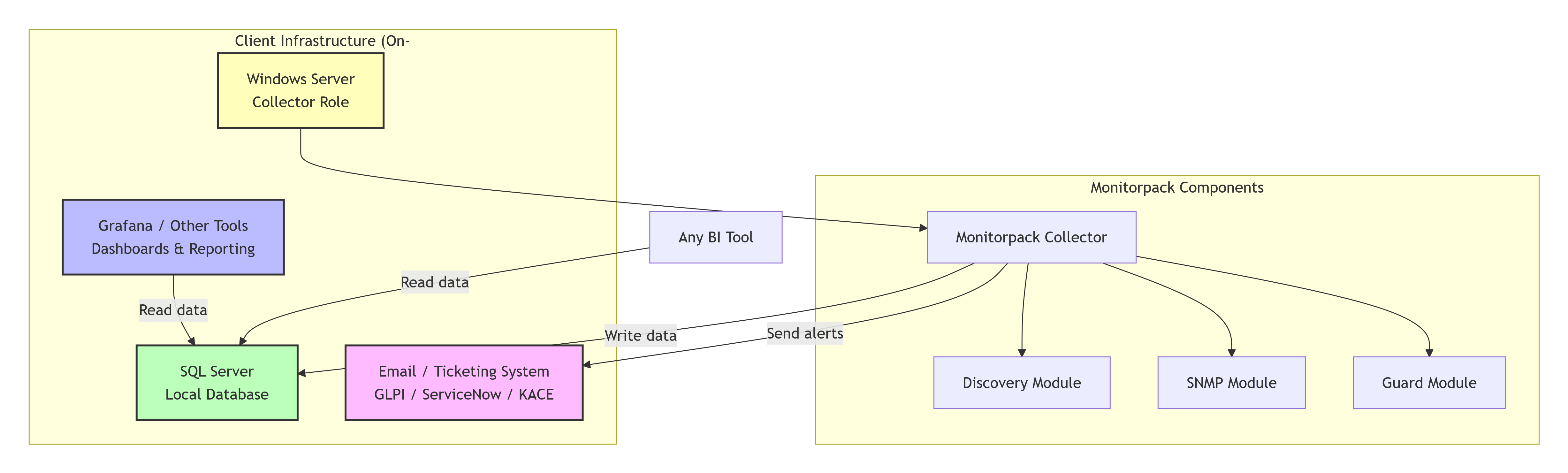
Monitorpack ecosystem Architecture 2. Azure BYOD (Bring Your Own Database)Cloud database, your own tenant. The Collector runs on-premise but writes all monitoring data directly to an Azure SQL Database in your own tenant. You retain full control of your data and can use Grafana, Power BI, or any other tool for reporting. Best for: Companies ready for the cloud but wanting to keep database management and reporting in-house. 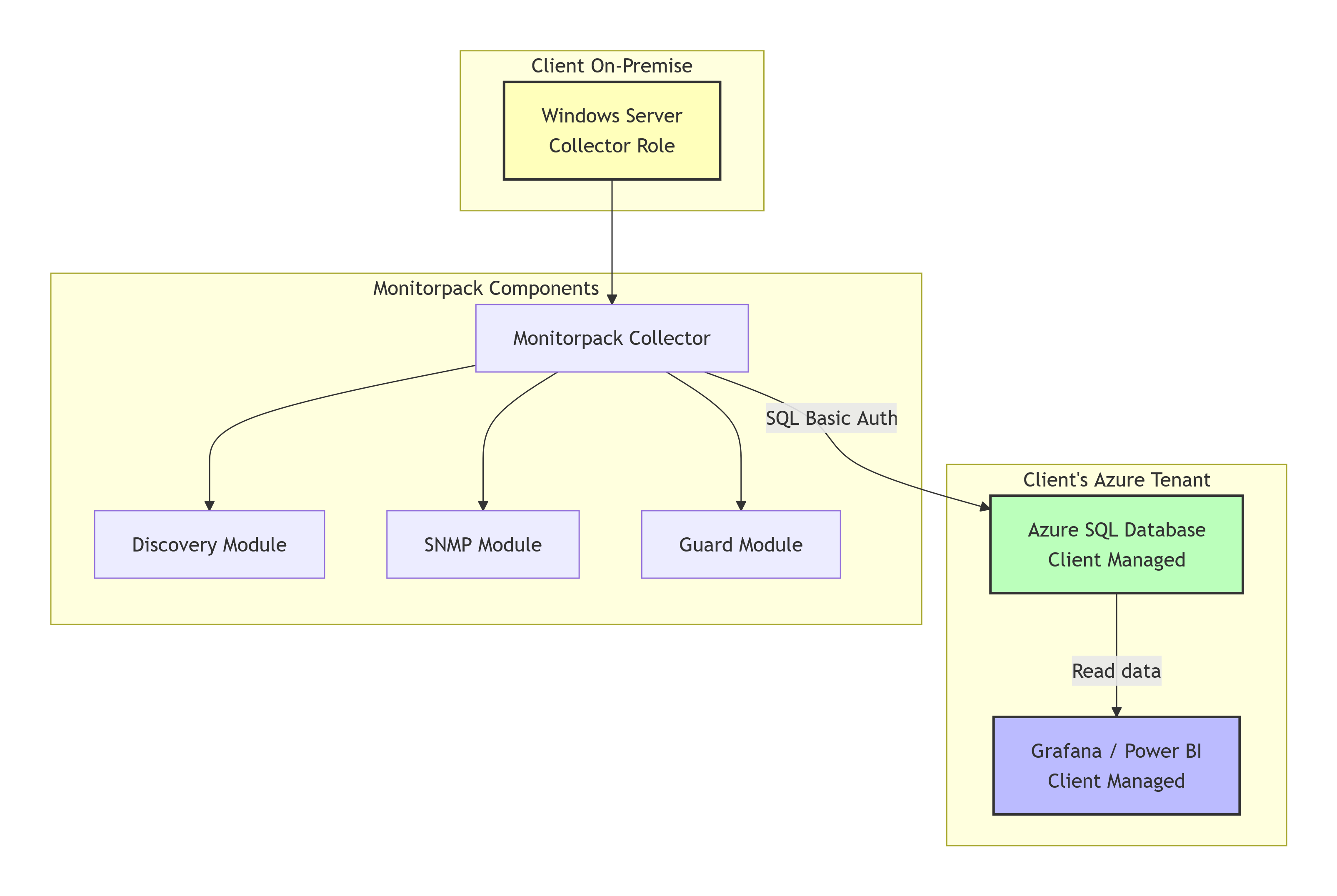
Monitorpack ecosystem Architecture 3. Azure Fully Managed (Enterprise)Full Azure-native experience with enterprise identity. The Collector authenticates via Azure AD (Entra ID) and writes data to an Azure SQL Managed Instance. Stored procedures are managed with Logic Apps, and Power BI Pro delivers advanced dashboards via the on-premise gateway. Best for: Large enterprises standardized on Azure, with strong security and compliance requirements. 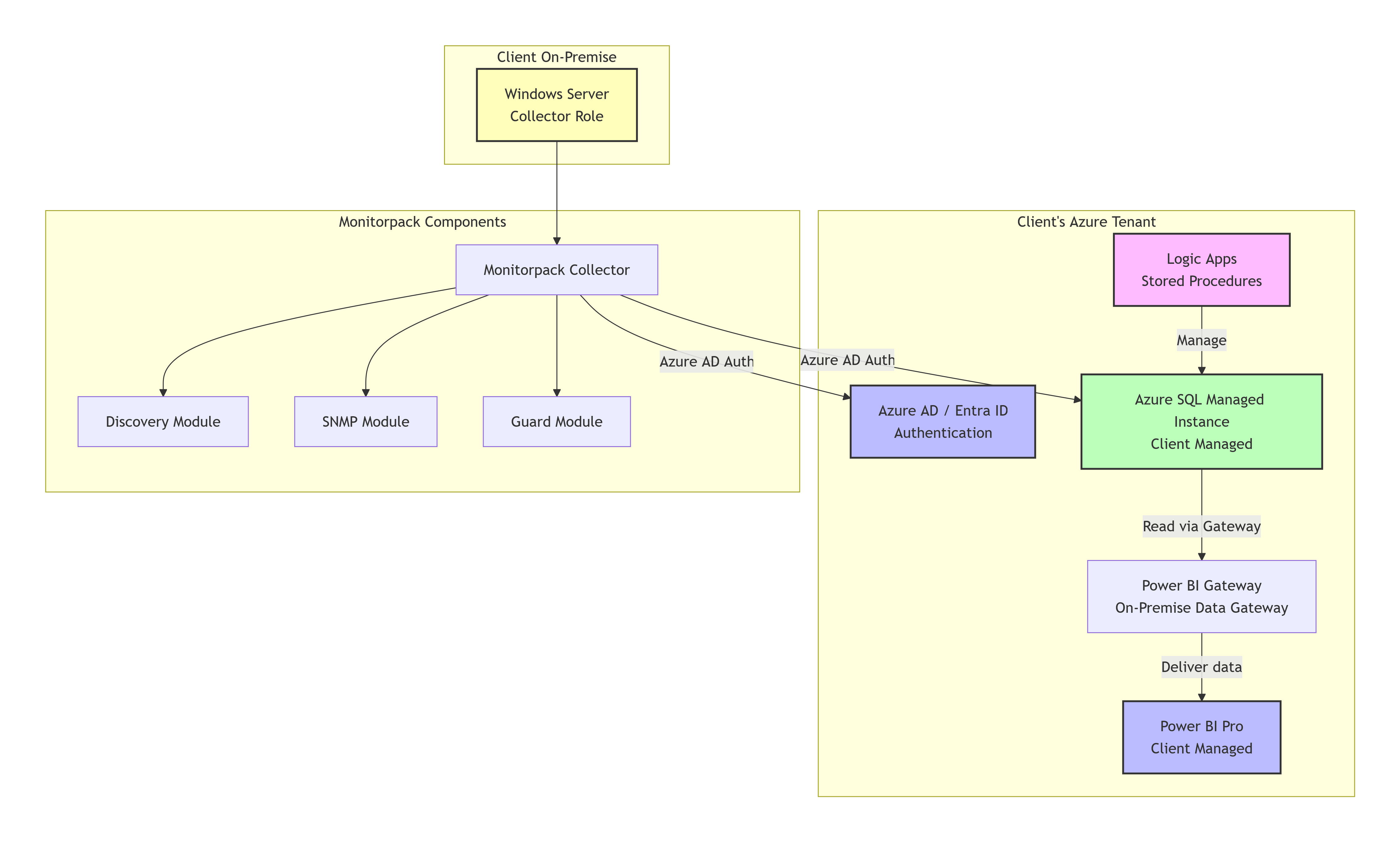
Monitorpack ecosystem Architecture 4. Monitorpack Cloud Portal (SaaS)Fully managed, zero infrastructure to maintain. Just deploy the Collector on your servers – everything else is handled by Monitorpack. Data is stored in a multi-tenant Azure SQL Managed Instance, dashboards are pre-built in Power BI Pro, and users authenticate via Azure AD SSO. Best for: Organizations with no dedicated cloud team, wanting a complete turnkey monitoring solution. 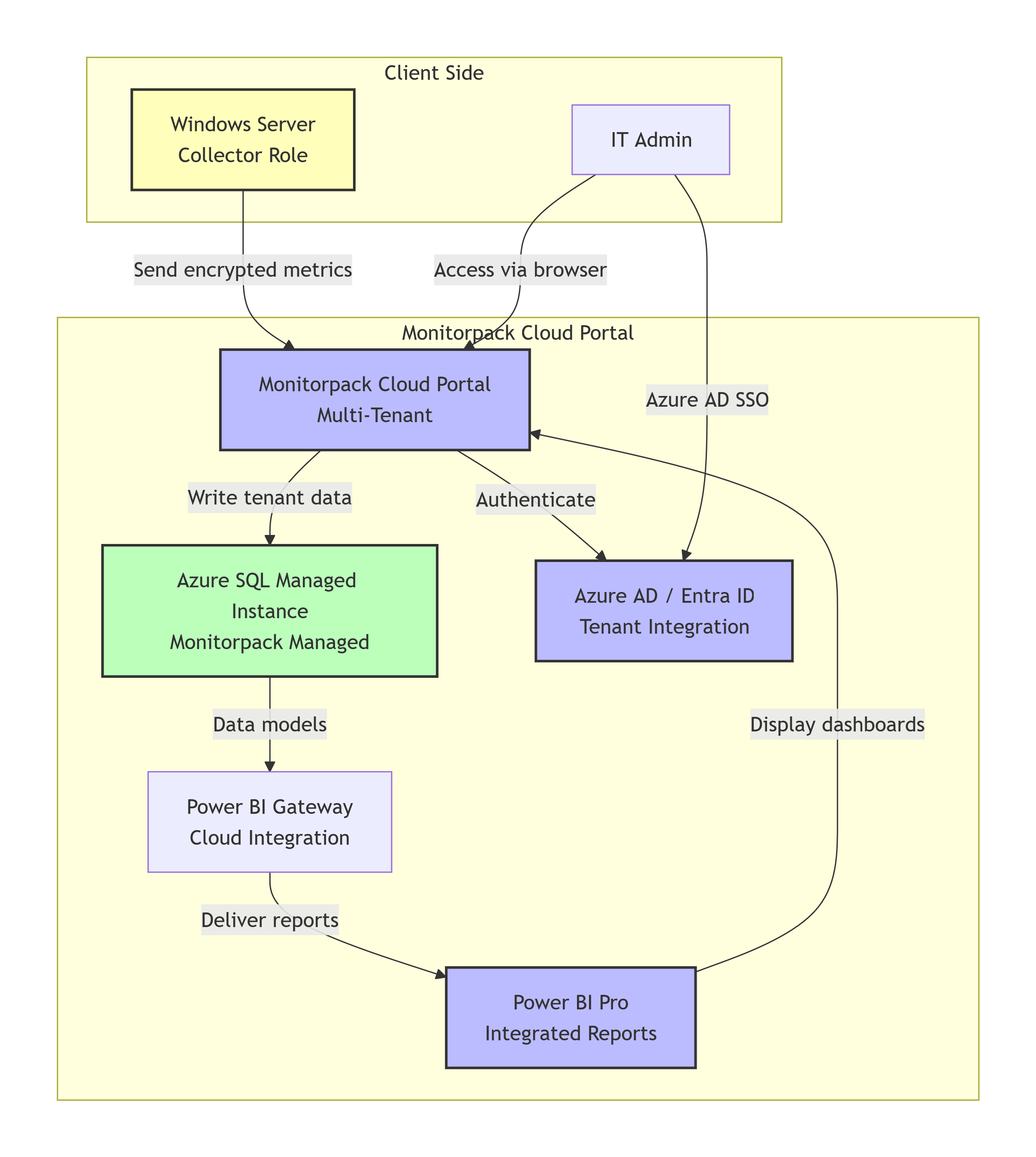
Monitorpack ecosystem Compatible Platforms
|